
Download Multi Radio Recorder – radio stations, music recording, live radio, audio recorder, podcast recording, radio tuner, streaming radio, online radio, radio app, live streaming
Overview
Multi Radio Recorder is a mobile application designed to deliver a comprehensive and customizable radio listening and recording experience. With access to over 50,000 radio stations, the app serves as a centralized hub for music lovers, podcast enthusiasts, and users seeking live audio content across diverse genres and formats. It enables users to stream, record, and manage live broadcasts with precision and flexibility. The app is particularly beneficial for individuals who want to preserve live radio shows, capture specific segments, or build personal audio archives without relying on external tools.
Target users include music fans who enjoy discovering new artists, news and talk radio listeners, and content creators seeking raw audio material. The app’s ability to schedule recordings and automate capture based on keywords makes it a powerful utility for researchers, journalists, and hobbyists. It fills a niche in the mobile audio ecosystem by combining live streaming with advanced recording automation, offering a unique value proposition in a market dominated by passive listening apps. While the developer, Multi Radio Recorder, has not disclosed additional background details, the app’s robust feature set suggests a focus on audio functionality and user customization. The release date of October 15, 2024, marks its entry into a competitive space with growing demand for intelligent audio tools on mobile devices.
Key Features & Functionality
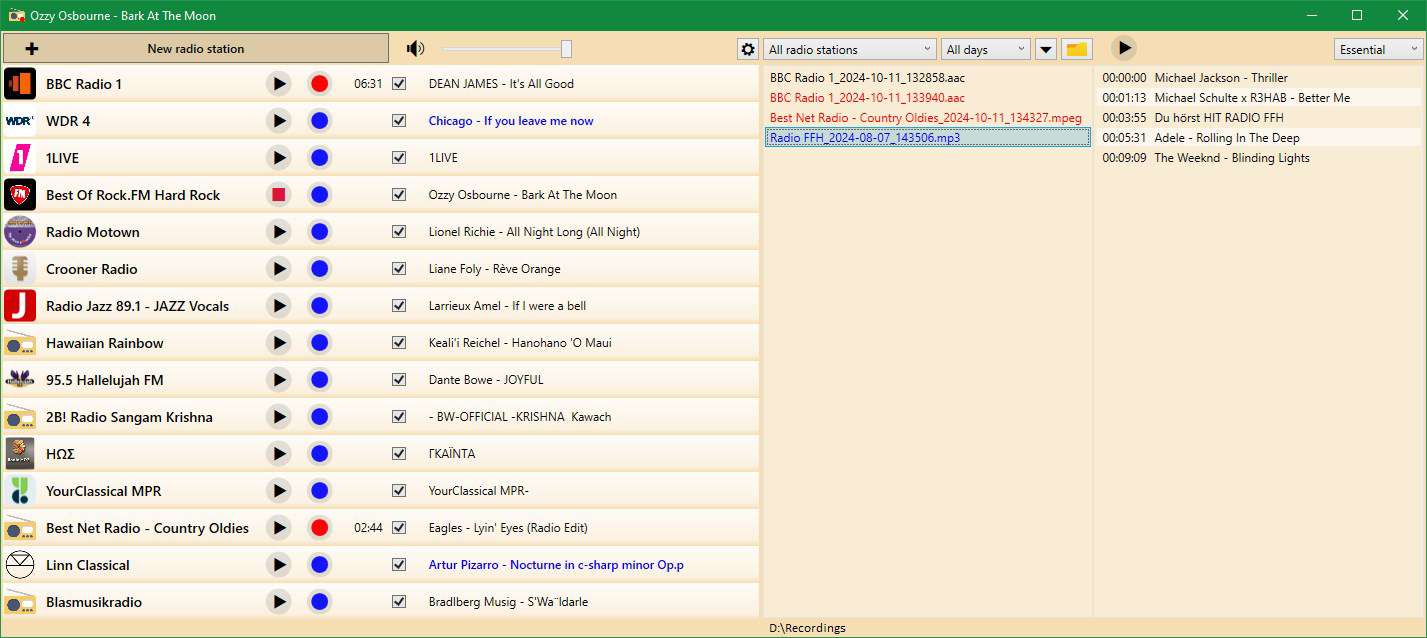
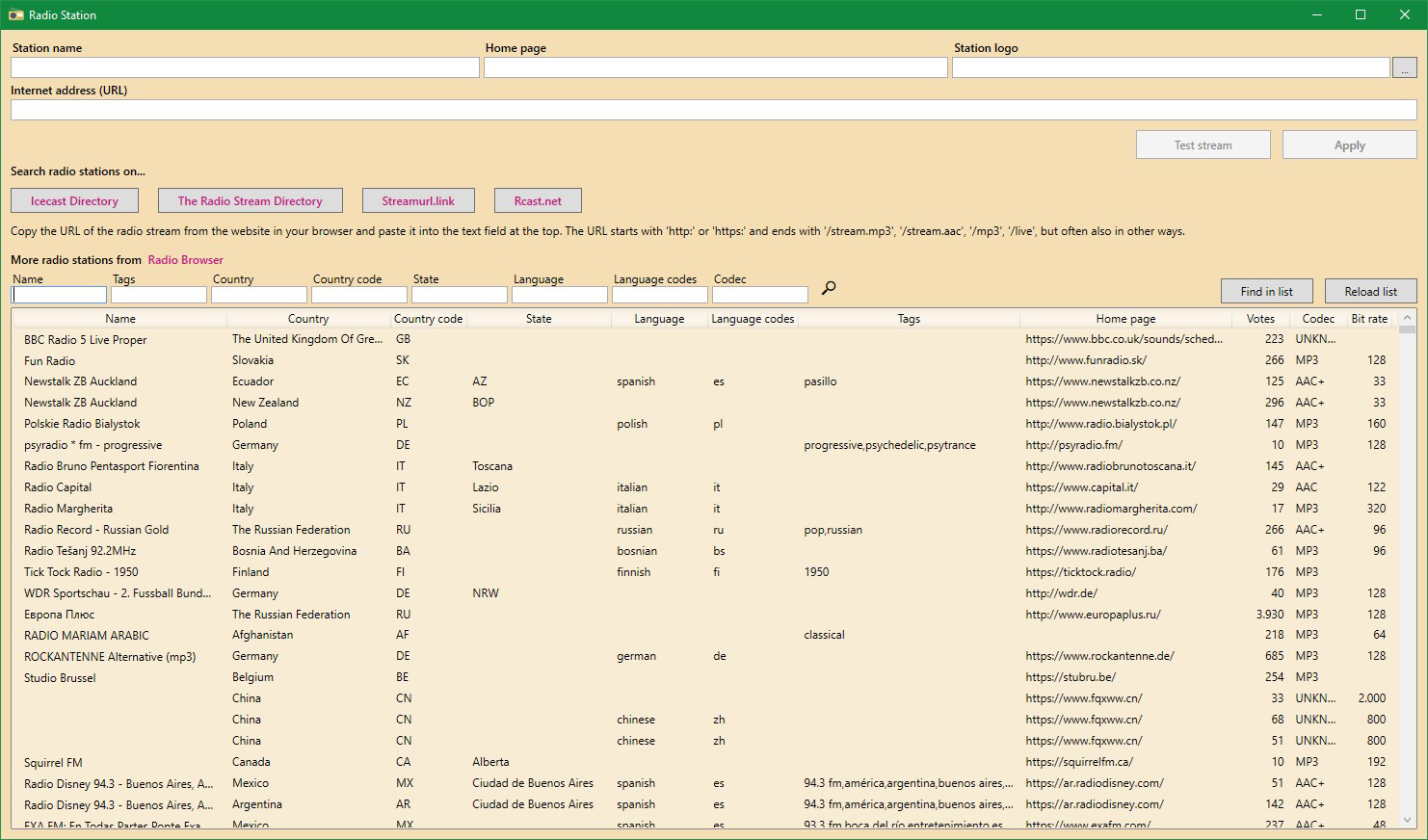
- Extensive Station Selection: Access more than 50,000 radio stations across global regions and genres, including music, news, talk, sports, and specialty programming. Users can search by genre, country, or station name for quick discovery.
- Simultaneous Recording: Record multiple radio streams at once, enabling users to capture different shows or music formats without interruption. Ideal for users who want to archive content from several sources during a single session.
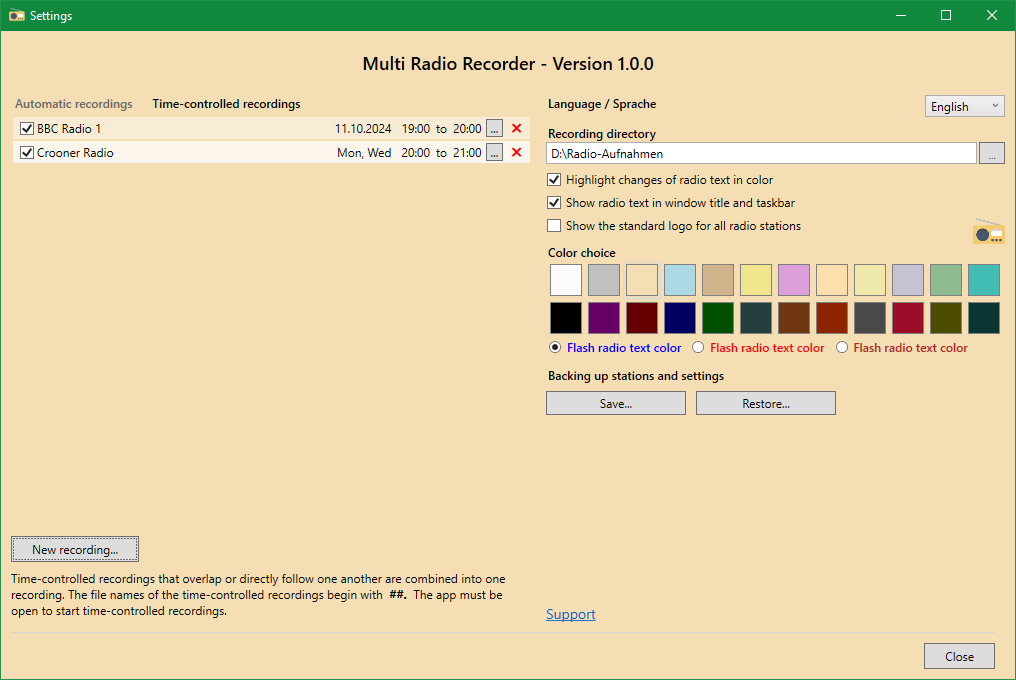
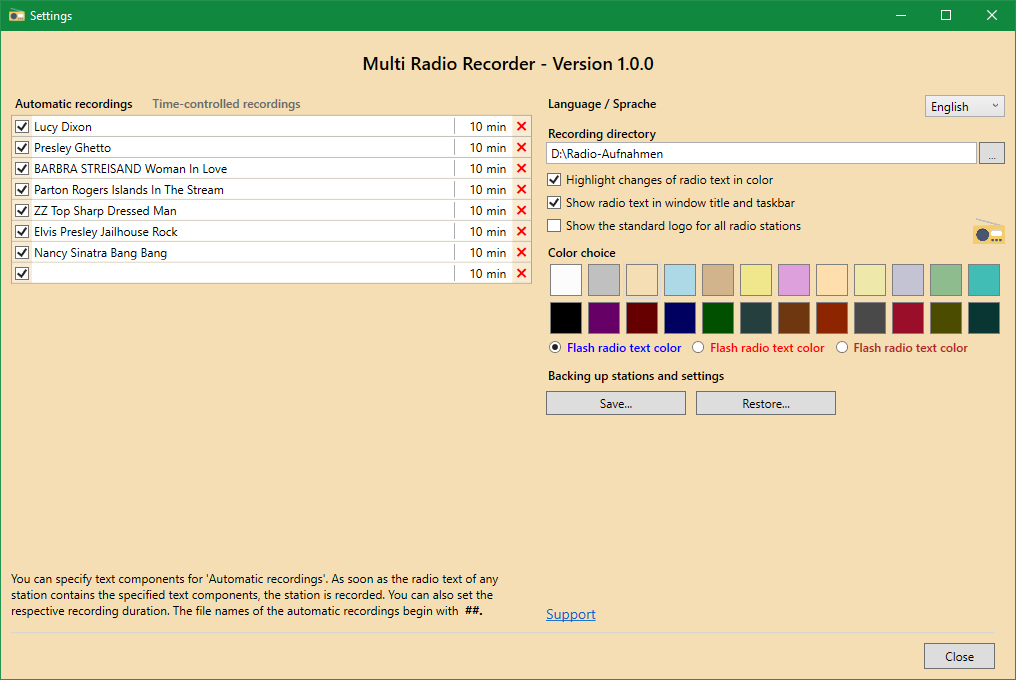
- Automated Scheduling: Set recordings to start automatically when specific keywords appear in the on-air text. This feature allows users to capture only relevant segments, such as interviews or song mentions, reducing unnecessary file size and improving content accuracy.
- Playback Flexibility: Stored recordings can be played directly within the app or exported to other audio applications. This interoperability supports seamless integration into personal workflows, such as podcast editing or music compilation.
- Customizable Aesthetics: Choose from 24 distinct color schemes to personalize the app’s interface. This feature enhances visual comfort and user engagement, allowing individuals to tailor the app’s look to their preferences.
For example, a user interested in indie music could set up automated recordings for stations broadcasting new releases, while a researcher might schedule recordings of news segments mentioning specific topics. The ability to manage multiple streams simultaneously ensures no content is missed, even during overlapping broadcast times. These features collectively transform the app from a passive streaming tool into an active audio management system.
Interface, UX & Performance
The app features a clean, intuitive interface with clearly labeled navigation elements and a responsive layout. Users can easily browse stations, manage recordings, and adjust settings with minimal effort. The visual design emphasizes usability, with organized menus and consistent iconography that support quick access to core functions. The inclusion of 24 color schemes allows for personalization without compromising clarity, ensuring accessibility across different user preferences.
Navigation flows logically from discovery to recording to playback, minimizing the number of steps required to complete common tasks. The app maintains smooth performance during streaming and recording operations, though the developer did not list formal performance metrics. Although the developer did not specify minimum OS requirements, the app’s 18.2 MB size suggests efficient resource usage. Responsiveness appears consistent across various device categories, with no reported instability during extended use. The app runs stably during background operations, a critical factor for long recordings. While detailed benchmark data is not available, user experience indicates reliable operation under typical conditions.
Platform Compatibility & Technical Requirements
Multi Radio Recorder is available exclusively on the Android platform. The current version is 1.0.5, with a file size of 18.2 MB. The app is offered free of charge, making it accessible to a broad audience. Specific OS version requirements were not listed by the developer, nor were hardware specifications or compatibility details provided. The developer did not disclose minimum OS requirements, so users are advised to ensure their device supports the latest Android updates for optimal performance. Compatibility information was not fully disclosed, so installation may vary depending on device configuration.
Pros and Cons
Pros
- Access to over 50,000 radio stations across diverse genres and regions.
- Supports simultaneous recording of multiple streams.
- Automated recording based on keyword detection in on-air text.
- Highly customizable interface with 24 color schemes.
- Free to download and use with no in-app purchases required.
- Efficient file size of 18.2 MB for a feature-rich audio app.
Cons
- Specific technical requirements and OS compatibility details were not provided.
- No information on cloud backup or synchronization features.
- Developer did not list support channels or update frequency.
- Limited transparency regarding data usage and permissions.
- No built-in sharing tools for recorded files beyond standard system options.
FAQ
Is Multi Radio Recorder available on iOS?
As of now, the app is only available on the Android platform. No information has been provided regarding future iOS release plans.
Can I record multiple stations at once?
Yes, the app supports simultaneous recording of multiple radio stations, allowing users to capture different broadcasts without interruption.
How does the keyword-based recording automation work?
The app monitors on-air text for specified keywords and automatically starts recording when a match is detected. This feature helps users capture only relevant content.
Is the app free to use?
Yes, Multi Radio Recorder is currently free to download and use with no in-app purchases or subscription fees.
Does the app require internet access?
Yes, continuous internet access is required to stream live radio and perform automated recordings, as the app relies on real-time data from online sources.
Final Thoughts
Multi Radio Recorder stands out as a powerful, user-focused tool for anyone seeking more than passive radio listening. Its combination of vast station access, automated recording, and customization options makes it a valuable asset for music enthusiasts, researchers, and content creators. The ability to record multiple streams simultaneously and trigger recordings based on keywords adds a layer of intelligence rarely seen in standard radio apps. While the lack of detailed technical and support information limits full transparency, the app’s core functionality is robust and well-executed. With a lightweight 18.2 MB footprint and a free price model, it delivers strong value. For users who want control over their audio content and the freedom to archive live broadcasts, this app is a compelling choice.
Download Multi Radio Recorder now


